
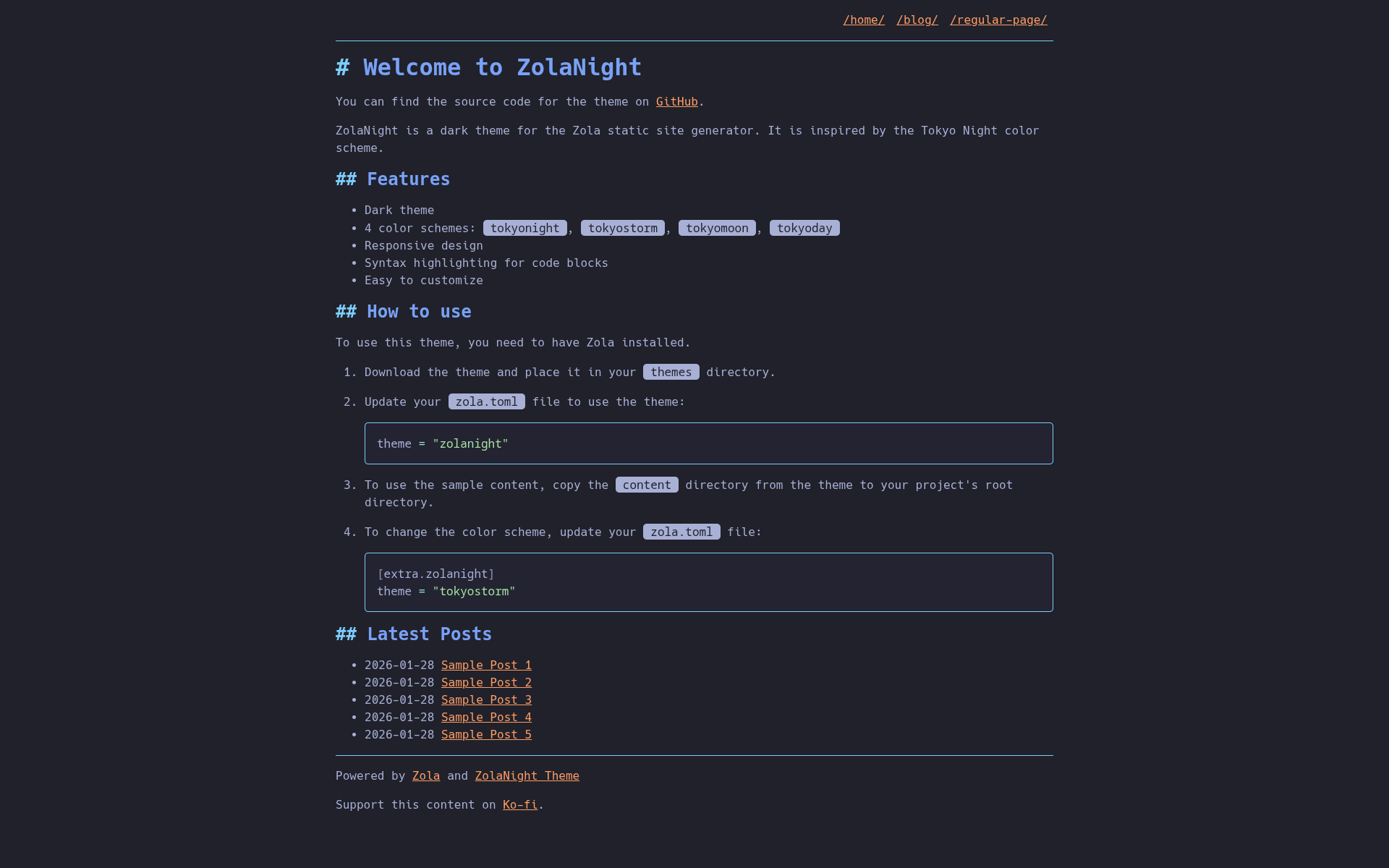
ZolaNight 是一个用于 Zola 静态站点生成器的暗色主题,灵感来自 Tokyo Night 配色方案。它旨在轻量化并专注于清晰的内容呈现。
在此处探索 ZolaNight 主题的在线演示: https://zolanight.codedmaster.com
你可以在 codedmaster.com 找到我使用此主题的个人博客。
tokyonight(默认)、tokyostorm、tokyomoon 和 tokyoday。catppuccin-mocha 主题为代码块提供美观的语法高亮。Source Code Pro 字体,外观现代、易读。下载主题: 将 zolanight 主题目录放置到你的 Zola 站点的 themes 文件夹中。
启用主题: 更新你的 config.toml(或 zola.toml)文件以使用该主题:
theme = "zolanight"可选:示例内容: 要查看带有预填充内容的主题效果,请将 content 目录从主题仓库复制到你的项目根目录。
更改配色方案: 通过在 config.toml(或 zola.toml)的 [extra.zolanight] 部分下添加以下内容来自定义配色方案:
[extra.zolanight]
theme = "tokyostorm" # 选择 "tokyonight", "tokyostorm", "tokyomoon", "tokyoday"zola.toml 文件包含以下特定于主题的配置:
base_url = "https://zolanight.codedmaster.com"       # 你的站点基础 URL
title = "ZolaNight Theme Demo"                       # 你的站点标题
description = "A demo site for the ZolaNight theme." # 你的站点描述
compile_sass = true                                  # 启用 Sass 编译
generate_feeds = true                                # 生成 RSS/Atom 订阅
feed_limit = 10                                      # 订阅中的项目数
feed_filenames = ["atom.xml"]                        # 订阅文件名
taxonomies = [{ name = "tags" }]                     # 启用标签分类法

[markdown.highlighting]
theme = "catppuccin-mocha" # 代码高亮主题

[extra.zolanight]
theme = "tokyonight"               # 默认主题,如上所示覆盖
home_list_latest_blog_posts = true # 切换首页上的最新文章
google_analytics_id = ""           # 设置用于分析代码段的 GA ID
ko_fi_url = "" # 链接到你的 Ko-fi 页面以进行捐赠。此主题根据 MIT 许可证 授权。