
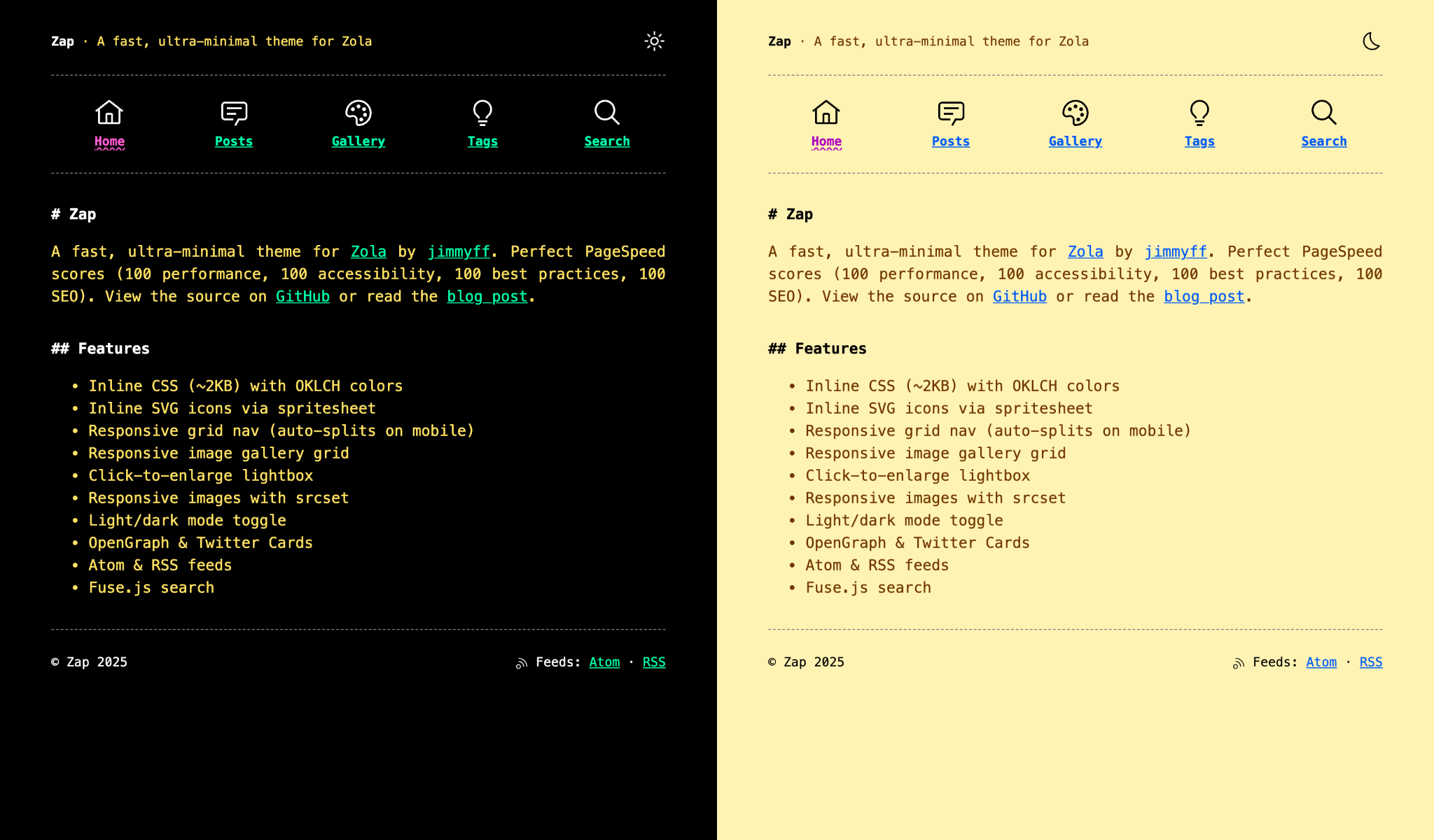

一个极简的 Zola 博客主题。
在线演示: https://zap-theme.netlify.app/
Zap 主题的设计考虑了可读性。它使用了 Zola 的核心功能,不需要额外的第三方集成。目前,唯一的外部链接是指向 Google Fonts。样式在基本模板内部,颜色可以直接在站点配置中应用。

下载此主题到你的 themes 目录:
cd your-zola-site
git submodule add https://github.com/jimmyff/zola-zap themes/zap
在你的 config.toml 中设置主题:
theme = "zap"复制示例内容以开始(可选):
cp -r themes/zap/content/* content/在这里你可以找到一个用于 Zap 主题的 config.toml 示例。确保你更改了:
# 站点标题。
title = "Zap"
# 站点描述。
description = "A minimal theme for Zola"
# 你的站点基础 URL。
base_url = "https://your-site.com"
# 无 SASS - CSS 是内部的(位于 base.html 模板中)。
compile_sass = false
# 启用搜索索引。
build_search_index = true
# 默认站点语言。
default_language = "en"
# 订阅。
generate_feeds = true
# 指定订阅文件名。
feed_filenames = ["atom.xml", "rss.xml"]
# 分类法。
taxonomies = [{ name = "tags", feed = true }]

[search]
# 搜索页面工作所必需。
index_format = "fuse_javascript"

[markdown]
# 代码高亮块所必需。
highlight_code = true
highlight_theme = "css"

[slugify]
# 控制页面/版块 URL 的 slug 化。
paths = "on"
# 控制分类法术语(标签、分类等)的 slug 化。
taxonomies = "on"
# 控制标题锚点(H1 到 H6 等)的 slug 化。
anchors = "on"

[extra]
# SEO 关键词。
keywords = "zola, theme, minimal"
# 页眉中的站点图标(可选 - 注释掉以隐藏)。
site_icon = "zap.svg"
# 页眉标语(可选 - 注释掉以隐藏)。
strapline = "A minimal theme for Zola"
# 页脚文本(可选 - 注释掉以隐藏)。
footer_text = "Zap - made for <a href='https://getzola.org'>Zola</a>"
# Favicon(可选 - 注释掉以隐藏)。
favicon = "/favicon.ico"
# 首页上的个人资料图片(可选 - 注释掉以隐藏)。
profile_picture = "/images/profile.jpg"

# 启用内联 SVG 图标(使用精灵图)。
inline_icons = true
icon_path = "static/icons/"
icons = ["light", "asleep", "rss"]

# 响应式图片
image_format = "auto"
image_quality = 80
images_default_size = 1024
images_sizes = [512, 1024, 2048]

# 导航菜单。
menu_links = [
  { url = "$BASE_URL/", name = "Home" },
  { url = "$BASE_URL/posts/", name = "Posts" },
  { url = "$BASE_URL/about/", name = "About" },
  { url = "$BASE_URL/projects/", name = "Projects" },
  { url = "$BASE_URL/tags/", name = "Tags" },
  { url = "$BASE_URL/search/", name = "Search" },
]

# 自定义颜色主题。在此调整以应用自己的颜色。
[extra.colours]
background = "#FAF7F2"
text = "#1a1a1a"
text_muted = "#3a3a3a"
accent = "#E07A5F"
accent_hover = "#F4A594"
code_bg = "#f0ebe3"
border = "#e0d9ce"
所有主题选项都在 config.toml 中的 [extra] 下:
| 选项 | 描述 | 默认值 |
|---|---|---|
strapline | 页眉显示的标语 | (无) |
favicon | favicon 路径 | (无) |
profile_picture | 首页个人资料图片 | (无) |
keywords | SEO meta 关键词 | (无) |
footer_text | 页脚 HTML 内容 | (无) |
[extra]
strapline = "Welcome to my website"
favicon = "/favicon.ico"
profile_picture = "/images/me.png"
keywords = "blog, writing, zola"
footer_text = "Made with <a href='https://getzola.org'>Zola</a>"[extra]
menu_links = [
{ url = "$BASE_URL/", name = "Home" },
{ url = "$BASE_URL/posts/", name = "Posts" },
{ url = "$BASE_URL/about/", name = "About" },
{ url = "$BASE_URL/projects/", name = "Projects" },
{ url = "$BASE_URL/tags/", name = "Tags" },
{ url = "$BASE_URL/search/", name = "Search" },
]自定义你的配色方案:
[extra.colours]
background = "#FAF7F2"
text = "#1a1a1a"
text_muted = "#3a3a3a"
accent = "#E07A5F"
accent_hover = "#F4A594"
code_bg = "#f0ebe3"
border = "#e0d9ce"[extra]
image_format = "auto" # auto, webp, jpg, png
image_quality = 80 # 1-100
images_default_size = 1024
images_sizes = [512, 1024, 2048][extra]
# Umami Analytics
umami_website_id = "your-website-id"
umami_src = "https://cloud.umami.is/script.js" # optional, custom domain
umami_domains = "yoursite.com" # optional, limit tracking
# OR Google Analytics
google_analytics_tag_id = "G-XXXXXXXXXX"在 content/posts/ 中创建文章:
+++
title = "My Post Title"
date = 2024-01-15
description = "A brief description for SEO"
[taxonomies]
tags = ["zola", "blogging"]
+++

Your content here...
对于带有图片的文章,使用文件夹结构:
content/posts/my-post/
├── index.md
└── image.jpg在 content/ 中创建独立页面:
+++
title = "About"
template = "page.html"
+++

Page content...创建 content/projects/_index.md:
+++
title = "Projects"
template = "projects.html"
+++
然后创建 content/projects/projects.toml:
[[projects]]
title = "Project Name"
emoji = "🚀"
description = "What this project does"
url = "https://github.com/you/project"
image = "screenshot.png"  # optional, relative to projects folder
date = "2024"
status = "Active"
tags = ["rust", "web"]创建 content/search.md:
+++
title = "Search"
template = "search.html"
+++{{ image(src="photo.jpg", alt="Description") }}{{ youtube(id="dQw4w9WgXcQ") }}
{{ youtube(id="dQw4w9WgXcQ", autoplay=true) }}{{ spotify(id="album-id") }}在你自己 templates/macros/hooks.html 中覆盖这些宏:
{%/* macro post_above_content(page) */%}
<!-- Content before post body -->
{%/* endmacro */%}

{%/* macro post_below_content(page) */%}
<!-- Content after post body -->
{%/* endmacro */%}

{%/* macro post_below_tags(page) */%}
<!-- Content after post tags -->
{%/* endmacro */%}

{%/* macro posts_below_title(page) */%}
<!-- Content after post title in list view -->
{%/* endmacro */%}为任何页面添加预览图片:
+++
[extra]
og_preview_img = "preview.jpg"
+++MIT