
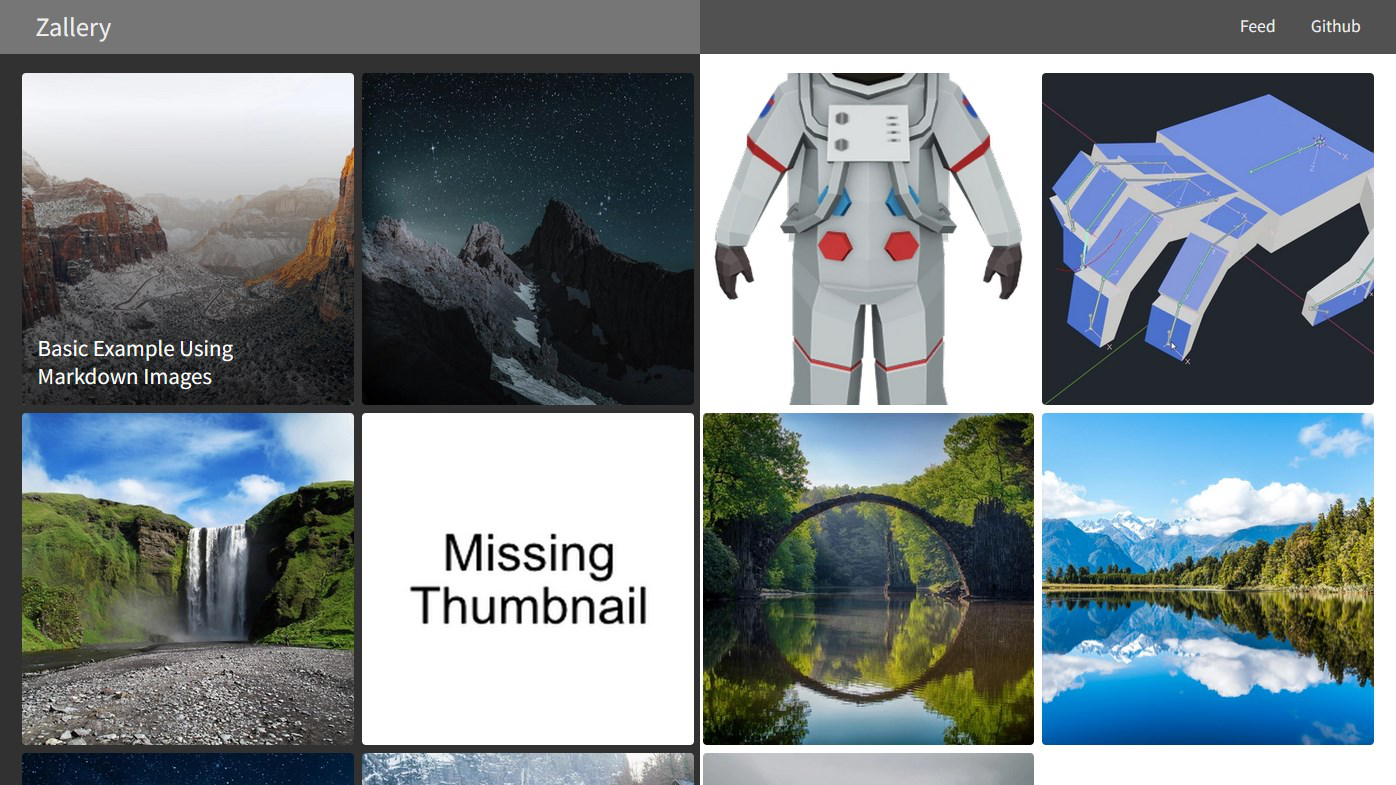
适用于 Zola 的画廊与作品集主题。
Demo Site: gamingrobot.github.io/zallery-demo
Personal Portfolio: gamingrobot.art
| Light mode | Dark mode |
|---|---|
 |  |
将主题克隆到 themes 目录:
git clone https://github.com/gamingrobot/zallery.git themes/zallery注意:建议将 themes/zallery 下的 config.toml 复制到站点根目录。
然后在 config.toml 中将主题设置为 zallery:
theme = "zallery"若要自定义主题颜色,需要将 _variables.scss 复制到站点 sass 目录,并创建 zallery.scss:
@import 'variables';
@import '../themes/zallery/sass/imports';
See the demo site for an example: github.com/gamingrobot/zallery-demo/tree/master/sass
自定义头部导航链接。
[extra]
menu = [
    {url = "atom.xml", name = "Feed"},
    {url = "https://github.com/gamingrobot/zallery", name = "Github"},
]用于设置移动端浏览器地址栏颜色。
[extra]
theme_color = "#313131"版权区域作者名对应链接。
[extra]
author_url = "https://example.com"主画廊页面用于 OpenGraph 与 Twitter 嵌入的封面图。
[extra]
cover_image = "img/cover.webp"To hide the copyright set this to true
[extra]
hide_copyright = false
To hide the "Powered by Zola & Zallery" set this to true
[extra]
hide_poweredby = falseSettings for the gallery view's thumbnails
[extra]
thumbnail_size = 400 # size in pixels, you may need to adjust the media queries in _gallery.scss
thumbnail_format = "webp" # auto, jpg, png, webp
thumbnail_quality = 100 # value in percentage, only for webp and jpg
img 短代码设置Settings for the img shortcode, allowing for automatic conversion and creating mobile friendly images
[extra]
covert_images = false # set to true to convert images to to the format in the image_format setting
create_mobile_images = false # set to true to create mobile friendly versions of the image
image_format = "webp" # auto, jpg, png, webp
image_quality = 90 # value in percentage, only for webp and jpgThese settings are for the frontmatter on each artwork
[extra]
thumbnail = "image.jpg" # image to resize into a thumbnail and cover image
modelviewer = true # enable modelviewer javascript for this artwork设为 true 启用 modelviewer 支持。也可在作品 frontmatter 或 config.toml 中设置。
[extra]
modelviewer = true设为 true 启用 javascript zoom 支持。
[extra]
jszoom = true填写 goatcounter 标签以启用 goatcounter 支持。
[extra]
goatcounter = ""img{{ img(src="image.jpg", mobile_src="image-mobile.jpg", alt="alt text", text="text", fit="") }}src (required) - Image pathmobile_src (optional) - Mobile friendly versionalt (optional) - Alt texttext (optional) - Text to put under the image (if alt is not specified, text will be use for alt text)fit (optional) - Defaults to fit-view, can be set to max-width to make the image fill the width of the pagevideo{{ video(src="image.jpg", autoplay=false) }}src (required) - Video pathautoplay (optional) - Set to true to enable autoplayloop (optional) - Set to true to enable loopingyoutube / vimeo{{ youtube(id="", autoplay=false) }}
{{ vimeo(id="", autoplay=false) }}id (required) - Id of the videoautoplay (optional) - Set to true to enable autoplaymodelNote: Requires modelviewer to be enabled in config.toml
{{ model(src="image.jpg", skybox="", poster="") }}src (required) - Model pathskybox (optional) - Skybox HDRposter (optional) - Image to show when loadingalt (optional) - Alt textsketchfab{{ sketchfab(id="") }}id (required) - Id of the model