
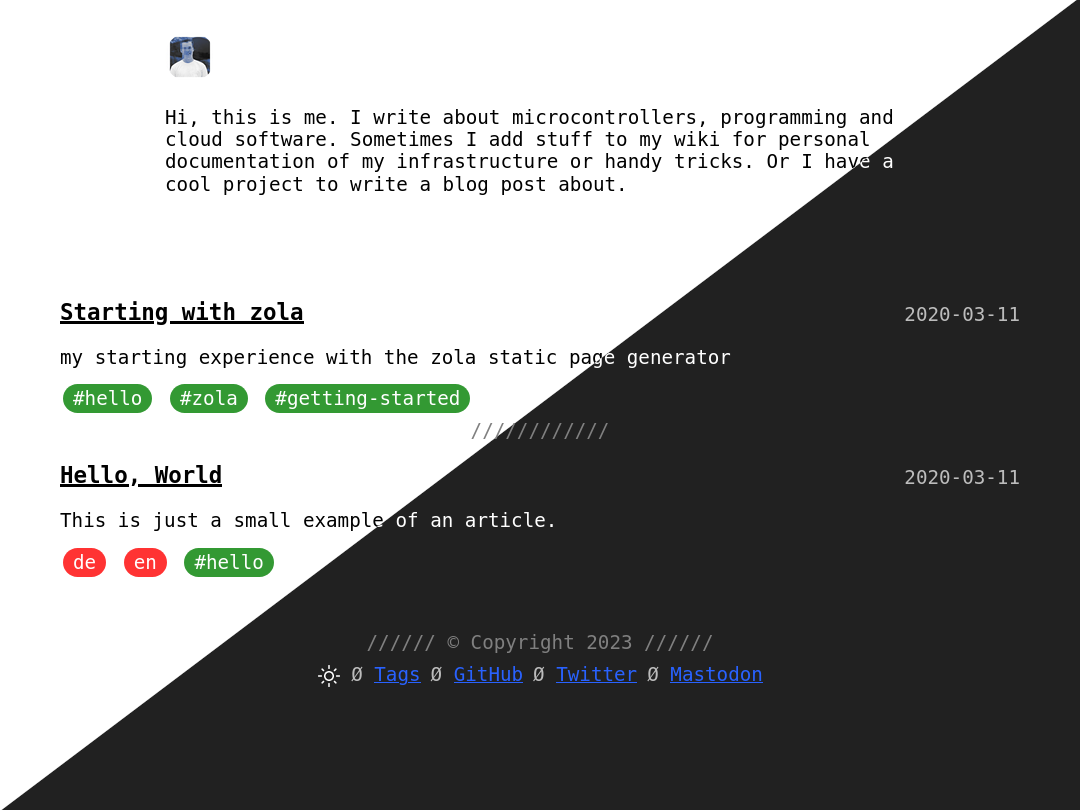
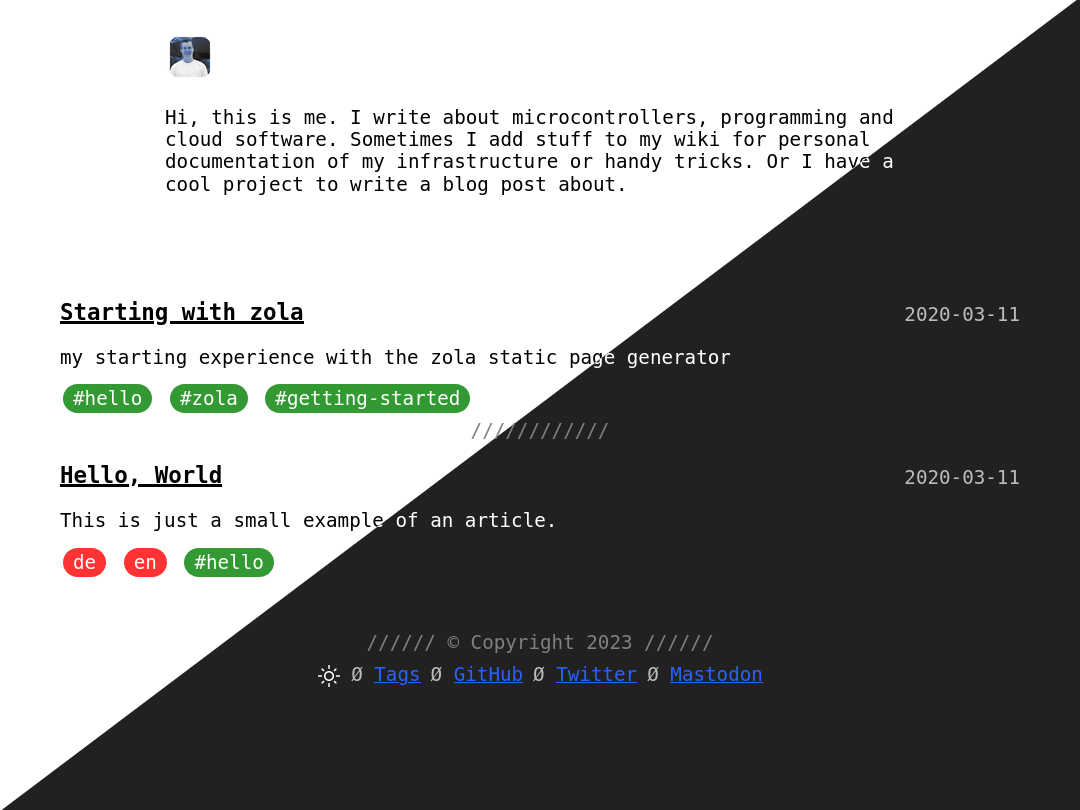
首先通过以下选项之一将主题安装到 themes 目录:
# 如果你使用 git:
git submodule add https://github.com/oltdaniel/dose.git themes/dose
# 或者直接下载:
git clone https://github.com/oltdaniel/dose.git themes/dose
然后在你的 config.toml 中启用它:
theme = "dose"你可以启用以下分类法:
taxonomies = [
    { name = "tags", feed = true },
]
主题使用以下额外配置:
[extra]
social_media = [
    { name = "GitHub", url = "https://github.com/oltdaniel" },
    { name = "Twitter", url = "https://twitter.com/@twitter" },
    { name = "Mastodon", url = "https://mastodon.social/@Mastodon", rel = "me" }
]
default_theme = "dark" # 或 "light"
你可以通过使用模板修改你的描述和图片。只需创建一个新文件 myblog/templates/parts/me.html:
<img src="https://via.placeholder.com/50" height="50px" width="50px">
<p>嗨,这是我。我写关于微控制器、编程和云软件的文章。...</p>
如果你想让所有页面按日期排序,请创建 myblog/content/_index.md:
+++
sort_by = "date"
+++我创建这个主题主要是为了我的个人网站。你可以自由使用或修改它。它的灵感来自于 no-style-please jekyll 主题。
此主题不使用特殊字体,只使用浏览器的默认等宽字体。是的,这意味着网站可能会有不同的渲染效果,但用户可以自由选择他们的网页字体。
此主题支持暗色和亮色模式。目前这将仅根据用户首选的系统主题进行切换。但未来会在页脚添加手动切换(见 todo)。
| 亮色 | 暗色 |
|---|---|
 |  |
JavaScript 已移入页面本身以允许压缩。这就导致 index.html 的大小如下:
~ 3kB JavaScript~ 3kB CSS~ 17kB 个人资料图片~5kB - ~3kB = ~2kB HTML总加载大小为 3kB + 3kB + 17kB + 2kB = 25kB。
由于我不想花时间为这个主题创建自己的语法颜色方案,我建议使用 visual-studio-dark,这也是演示页面中使用的方案。
你可以通过简单地更改 sass/style.scss 中的 sass 变量来创建你自己的主题版本,以符合你的口味。
/**
 * Variables
 */
$base-background: white;
$text-color: black;
$article-tag: green;
$lang-tag: red;
$link-color: blue;
$target-color: yellow;
$separator-decoration: "//////";本项目由 Daniel Oltmanns 创建,并由这些 贡献者 改进。
