
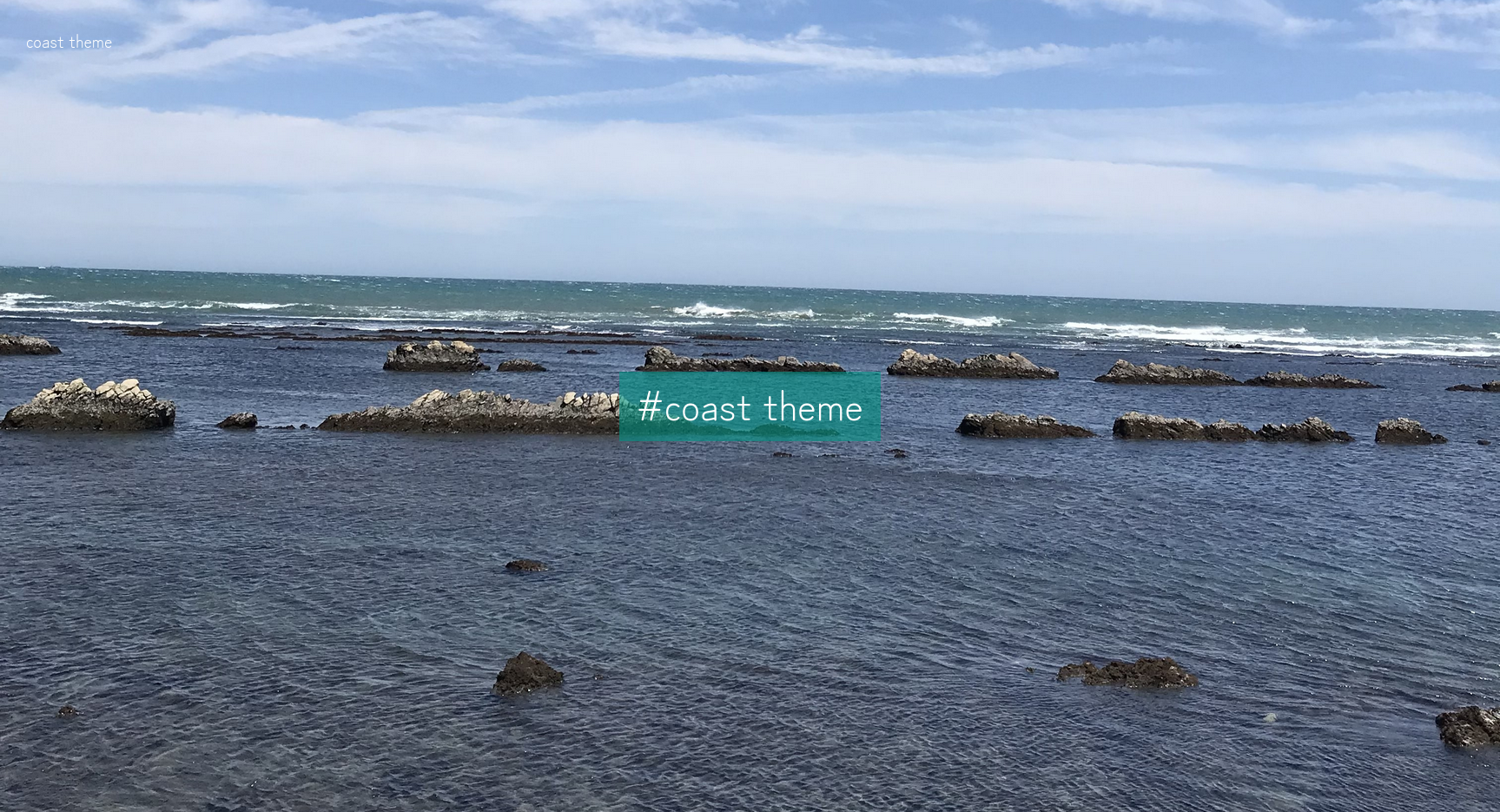
coast 是一个 zola 博客主题!
该主题支持 mermaid 和 katex。
https://zola-coast-theme.netlify.app/

请参考以下文档安装 zola:
https://www.getzola.org/documentation/getting-started/installation/
[!TIP] If you want to use the coast theme repository as a blog, you do not need to do the
2.step other than making extra settings in the2-6.step after cloning the repository.
2-1. 创建博客项目
zola init < your blog project >请选择如下选项:
Welcome to Zola!
Please answer a few questions to get started quickly.
Any choices made can be changed by modifying the `config.toml` file later.
> What is the URL of your site? (https://example.com): < "Don't enter anything." >
> Do you want to enable Sass compilation? [Y/n]: y
> Do you want to enable syntax highlighting? [y/N]: y
> Do you want to build a search index of the content? [y/N]: y

Done! Your site was created in /home/hello/Desktop/coast-sample/docs

Get started by moving into the directory and using the built-in server: `zola serve`
Visit https://www.getzola.org for the full documentation.
2-2. 进入你的博客项目目录
cd ./< your blog project >/themes/2-3. 将 coast 克隆到主题目录,并移除该主题仓库的 .git 目录
git clone https://github.com/Myxogastria0808/coast.git
rm -rf coast/.git
2-4. 切回博客项目根目录
cd ..2-5. 替换博客项目 config.toml 配置
以下为替换后的配置内容。
部署时请将 base_url 改为你的博客 URL。
开发阶段建议保持当前 base_url 设置。
theme = "coast"

# The URL the site will be built for
base_url = "/"

# The site title and description; used in feeds by default.
title = "coast"
description = "A simple theme for Zola that evokes the feel the sea breeze."

# Whether to automatically compile all Sass files in the sass directory
compile_sass = true

# When set to "true", the generated HTML files are minified.
minify_html = true

# Whether to build a search index to be used later on by a JavaScript library
build_search_index = true

# RSS/Atom feeds
generate_feeds = true
# The filenames to use for the feeds. Used as the template filenames, too.
# Defaults to ["atom.xml"], which has a built-in template that renders an Atom 1.0 feed.
# There is also a built-in template "rss.xml" that renders an RSS 2.0 feed.
feed_filenames = ["rss.xml"]

# The taxonomies to be rendered for the site and their configuration of the default languages
# Example:
#     taxonomies = [
#       {name = "tags", feed = true}, # each tag will have its own feed
#       {name = "tags"}, # you can have taxonomies with the same name in multiple languages
#       {name = "categories", paginate_by = 5},  # 5 items per page for a term
#       {name = "authors"}, # Basic definition: no feed or pagination
#     ]
#
taxonomies = [
    {name = "tags", feed = true},
]

[markdown.highlighting]
# The syntax highlighting theme to use in light mode
light_theme = "github-light"
# The syntax highlighting theme to use in dark mode
dark_theme = "github-dark"

[markdown]
# When set to "true", emoji aliases translated to their corresponding
# Unicode emoji equivalent in the rendered Markdown files. (e.g.: :smile: => 😄)
render_emoji = true

# Whether external links are to be opened in a new tab
# If this is true, a `rel="noopener"` will always automatically be added for security reasons
external_links_target_blank = true

# Whether to set rel="noreferrer" for all external links
external_links_no_referrer = true

# Whether smart punctuation is enabled (changing quotes, dashes, dots in their typographic form)
# For example, `...` into `…`, `"quote"` into `“curly”` etc
smart_punctuation = true

[search]
# Whether to include the title of the page/section in the index
include_title = true
# Whether to include the description of the page/section in the index
include_description = true
# Whether to include the RFC3339 datetime of the page in the search index
include_date = true
# Whether to include the path of the page/section in the index (the permalink is always included)
include_path = true
# Whether to include the rendered content of the page/section in the index
include_content = true

[slugify]
# Various slugification strategies, see below for details
# Defaults to everything being a slug
paths = "off"
taxonomies = "off"
# Whether to remove date prefixes for page path slugs.
# For example, content/posts/2016-10-08_a-post-with-dates.md => posts/a-post-with-dates
# When true, content/posts/2016-10-08_a-post-with-dates.md => posts/2016-10-08-a-post-with-dates
paths_keep_dates = true
2-6. 在博客项目的 config.toml 中添加扩展设置
该主题提供如下扩展配置。
所有设置都有默认值,你只需添加需要修改的项。
config.toml[extra.coast]
# default value: 'en'
lang = "en"
# default value: 'blog'
keyword = "blog"
# default value: 'https://raw.githubusercontent.com/Myxogastria0808/coast/heads/main/static/favicon.svg'
# A shortcut icon has to be a SVG image.
icon = "https://raw.githubusercontent.com/Myxogastria0808/coast/heads/main/static/favicon.svg"
# default value: ''
twitter_site = ""
# default value: '@yuki_osada0808'
twitter_creator = "@yuki_osada0808"
# default value: 'https://raw.githubusercontent.com/Myxogastria0808/coast/heads/main/static/first-view.jpg'
meta_image = "https://raw.githubusercontent.com/Myxogastria0808/coast/heads/main/static/first-view.jpg"
# default value: 'coast theme'
meta_image_alt = "coast theme"
# default value: '3024'
meta_image_width = "3024"
# default value: '3024'
meta_image_height = "3024"
# default value: 'https://raw.githubusercontent.com/Myxogastria0808/coast/heads/main/static/first-view.jpg'
first_view_image = "https://raw.githubusercontent.com/Myxogastria0808/coast/heads/main/static/first-view.jpg"
# default value: 'Hello, World!'
about_title = "Hello, World!"
# default value is below
about_description = """
Hello, my name is Myxogastria0808.<br/>
I created a Zola theme named "coast".
This template can be used mermaid and katex.<br/>
Have a nice day!
"""config.toml)[extra.coast]
keyword = "blog coast sea"
about = """
Hello, my name is Myxogastria0808.<br/>
This blog is made by Zola. This is a sample blog of coast theme.
"""2-7. Replace settings to content/_index.md of your blog project
The following is the content of _index.md, which will be newly added in the content directory.
_index.md+++
sort_by = "date"
template = "index.html"
page_template = "blog-template.html"
in_search_index = true
+++
zola buildzola serveThe following sample have been set up.
[!NOTE] This repository includes the coast theme repository as a submodule.
https://github.com/Myxogastria0808/coast-sample.git
https://zola-coast-theme-sample.netlify.app/
You can see the post example below.
+++
title = "coast"
date = 2025-08-19
authors = ["Myxogastria0808"]
[taxonomies]
tags = ["coast"]
+++

I don’t live by the sea, but whenever I travel and find myself on a shoreline, I feel something special—the rhythm of the waves, the endless horizon, and the quiet moments that stay with me long after I’ve left.

## Greeting

Hello, lovers of the sea! 🌊

My name is Myxogastria0808, and I like the sea too!

## coast logo

I create a logo for my blog theme named "coast".

{{ image(path="/content/coast/coast.png") }}
Please refer to the following for an actual example.
https://github.com/Myxogastria0808/coast/blob/main/content/sample/index.md
https://zola-coast-theme.netlify.app/sample/
https://www.getzola.org/documentation/content/syntax-highlighting/
```rs
fn main() {
    println!("Hello, world!");
}
```
{{ image(path="/image/path") }}You can add width=int, height=int, and caption=String as options for image shortcode.
You can see the image shortcode examples below.
https://github.com/Myxogastria0808/coast/blob/main/content/sample/index.md
https://zola-coast-theme.netlify.app/sample/
width, height, and caption{{ image(path="/content/sample/image.jpg", width=1000, height=200, caption="caption") }}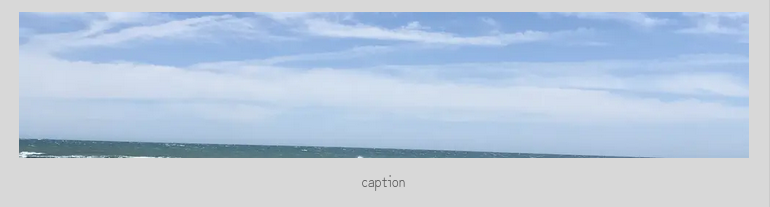
[!NOTE] Images are automatically converted to webp, so you don't need to worry about image size.
$$
<katex's syntax expression>
$$$$
\frac{dy}{dx} + p(x) y^2 + q(x) y + r(x) = 0
$$
{% mermaid() %}
<mermaid's syntax expression>
{% end %}{% mermaid() %}
graph TD;
A-->B;
A-->C;
B-->D;
C-->D;
{% end %}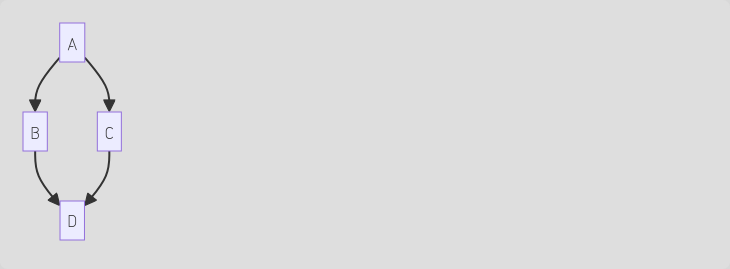
{% note() %}
Contents of the note.
{% end %}{% note() %}
This is a note.
{% end %}
{% tip() %}
Contents of the tip.
{% end %}{% tip() %}
This is a tip.
{% end %}
{% important() %}
Contents of the important.
{% end %}{% important() %}
This is a important.
{% end %}
{% warning() %}
Contents of the warning.
{% end %}{% warning() %}
This is a warning.
{% end %}
{% caution() %}
Contents of the caution
{% end %}{% caution() %}
This is a caution.
{% end %}
The following is expressed in pseudo-HTML.
<base.html>
  <loading.html></loading.html>
  <main-header.html></main-header.html>
  <index.html></index.html>
</base.html><base.html>
<sub-header.html></sub-header.html>
<taxonomy_list.html></taxonomy_list.html>
</base.html><base.html>
<sub-header.html></sub-header.html>
<taxonomy_single.html></taxonomy_single.html>
</base.html><base.html>
<sub-header.html></sub-header.html>
<blog-template.html></blog-template.html>
</base.html><base.html>
<sub-header.html></sub-header.html>
<404.html></404.html>
</base.html>https://www.getzola.org/documentation/getting-started/overview/#content